
Logitech Audio & video
Conferencing


Logitech Connect
Portable ConferenceCam with Bluetooth speakerphone for the huddle room, home office, and on the go

Logitech BCC950
Desktop video conferencing solution for private offices, home offices, and most any semi-private space

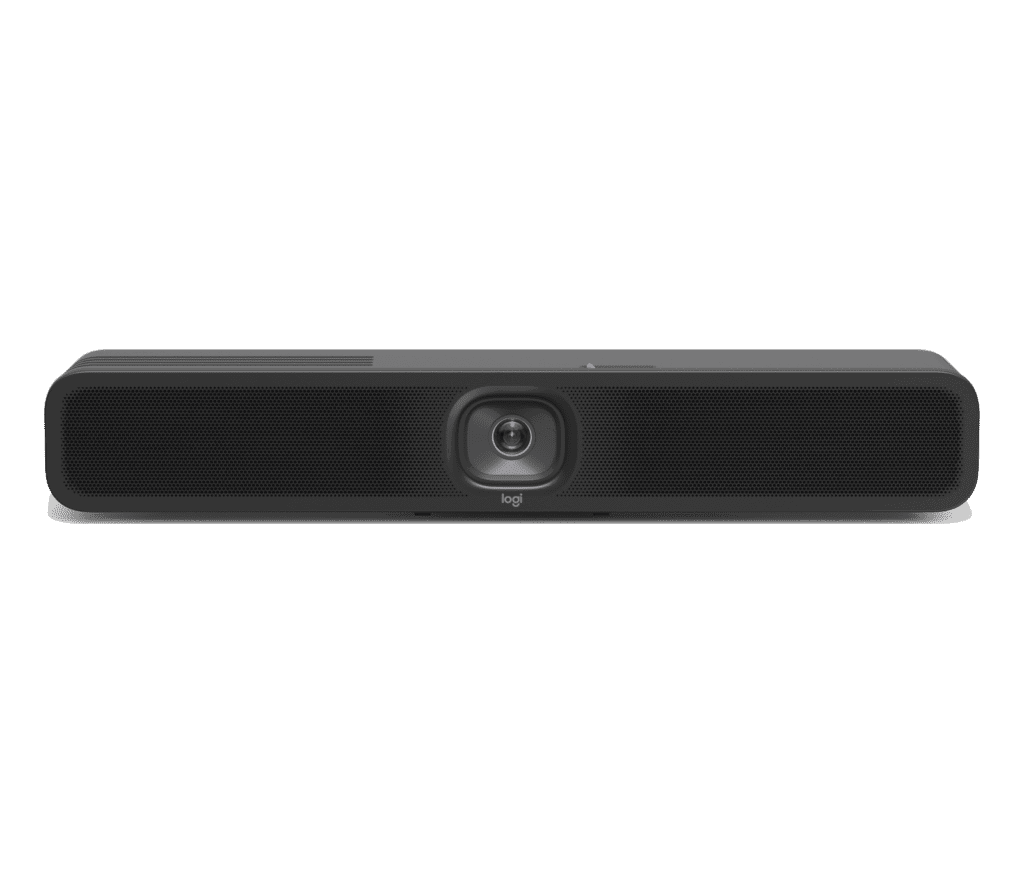
Logitech Meetup 2
Upgrade your small meeting rooms with MeetUp 2 and simplify the meeting experience for everyone.
Frequently Asked Questions Regarding Logitech Audio Video Conferencing solutions
1. What is Logitech Audio Video Conferencing Solution?
Logitech Audio Video Conferencing Solutions are integrated systems designed to deliver high-quality video and audio experiences for virtual meetings. These solutions include a combination of Logitech cameras, microphones, speakers, and control devices, optimized for conference rooms and meeting spaces. They provide clear, seamless communication for remote collaboration using popular video conferencing platforms like Zoom, Microsoft Teams, and Google Meet.
2. What are the main components of a Logitech Audio Video Conferencing Solution?
The key components of a Logitech Audio Video Conferencing Solution include:
Logitech Rally Camera: A 4K camera with motorized PTZ (pan, tilt, zoom) and RightSense™ technology for automated adjustments.
Logitech MeetUp: A compact all-in-one conference camera with ultra-wide video for small meeting spaces.
Logitech Rally Mic Pods: High-quality microphones for superior audio capture across the room.
Logitech Bluetooth Speaker: Provides clear and loud audio for better sound experience.
Logitech Tap: A touch controller for simple, user-friendly management of virtual meetings.
3. What size of meeting rooms are Logitech Audio Video Conferencing solutions suitable for?
Logitech Audio Video Conferencing solutions are available for a range of meeting room sizes:
Small Rooms: Logitech MeetUp is ideal for small rooms or huddle spaces, with a wide-angle camera and built-in speakers and microphones.
Medium Rooms: The Logitech Rally system is suited for medium-sized rooms, offering enhanced microphone coverage and high-quality video.
Large Rooms: For larger spaces, the Logitech Rally Plus system with additional microphones and cameras ensures full coverage.
4. How does Logitech’s RightSense™ technology improve meetings?
RightSense™ technology is integrated into Logitech conferencing solutions to improve the meeting experience. It includes:
RightLight™: Automatically adjusts the lighting for better visibility, even in low light conditions.
RightSound™: Enhances audio quality by automatically filtering background noise and ensuring voice clarity.
RightSight™: Uses AI to auto-frame the video feed, adjusting the camera view to focus on participants.
5. Can I use Logitech Audio Video Conferencing solutions with my existing video conferencing software?
Yes, Logitech Audio Video Conferencing Solutions are compatible with all major video conferencing platforms, such as Zoom, Microsoft Teams, Google Meet, Cisco WebEx, Skype, and more. They integrate seamlessly with your existing software setup.
6. What is the difference between Logitech Rally and Logitech MeetUp?
Logitech Rally: Best for medium to large meeting rooms. It features a 4K camera, motorized PTZ, and excellent audio capabilities with extended microphone pods.
Logitech MeetUp: A compact, all-in-one solution for small meeting rooms. It features an ultra-wide camera and built-in speakers, making it perfect for tight spaces.
7. How easy is it to set up Logitech Audio Video Conferencing Solutions?
Logitech systems are designed for quick, easy setup. With plug-and-play functionality, you can connect the cameras, microphones, and speakers to your meeting room’s display and video conferencing software in minutes. Logitech also provides helpful installation guides and customer support for additional assistance.
8. Can Logitech Audio Video Conferencing Solutions be used for hybrid meetings?
Yes, Logitech systems are ideal for hybrid meetings, where some participants are in the room and others join remotely. With high-quality cameras and microphones, Logitech ensures clear video and audio for both in-person and virtual attendees, making it easy to collaborate with remote teams.
9. Can I control Logitech’s Audio Video Conferencing systems remotely?
Yes, Logitech Tap is a touch interface that allows you to easily manage the meeting room equipment, join calls, adjust settings, and control the room’s camera and audio system. You can also integrate with room scheduling systems to automate meeting management.
10. What are the benefits of using Logitech Rally cameras in meeting rooms?
The Logitech Rally Camera offers:
4K Ultra-HD Video Quality: Crystal-clear video for professional-quality meetings.
Motorized PTZ: Control the camera's pan, tilt, and zoom for better framing during discussions.
AI-powered RightSense™: Automatically adjusts framing, lighting, and audio for the best possible experience.
Wide Coverage: Supports large meeting rooms and can be combined with additional microphones for extended range.
11. Are Logitech Audio Video Conferencing Solutions compatible with third-party hardware?
Yes, Logitech conferencing solutions are designed to be flexible and compatible with third-party hardware, such as additional displays, external microphones, and speakers. This allows you to integrate Logitech solutions into your existing room setup seamlessly.
12. Does Logitech offer solutions for both small and large meeting rooms?
Yes, Logitech provides solutions for both small and large meeting rooms. The Logitech MeetUp is perfect for small spaces, while Logitech Rally and Logitech Rally Plus are designed for medium to large rooms, offering greater flexibility and scalability to fit your needs.
13. What support and warranty does Logitech offer for their Audio Video Conferencing Systems?
Logitech offers a standard warranty of 1 year on most of its conferencing equipment, which covers manufacturing defects and hardware failures. AMSON AV also offers ongoing support, including installation assistance, troubleshooting, and software updates.
14. Can Logitech Audio Video Conferencing solutions be used for webinars or large-scale events?
Yes, while Logitech’s MeetUp and Rally systems are designed for meeting rooms, they can also be used for webinars and larger virtual events when paired with streaming platforms and additional equipment. Their high-quality video and audio are ideal for creating a professional event experience.
15. Where can I purchase Logitech Audio Video Conferencing Solutions?
You can purchase Logitech Audio Video Conferencing Solutions through AMSON AV, an authorized reseller of Logitech products. AMSON AV offers a wide range of solutions to meet your conferencing needs, whether for small meeting spaces or large conference rooms.
AMSON AV provides Logitech Audio Video Conferencing Solutions throughout Pakistan. While our main office is located in Lahore, we also serve major cities like Karachi, Islamabad, Peshawar, Faisalabad, and other areas through our extensive network. We offer customized solutions to meet the needs of businesses, schools, and other institutions across the country.